Welcome to Tock - open conversational platform, with or without generative AI
Tock (The Open Conversation Kit) is a complete and open platform to build conversational assistants: answer from your documents with the LLM of your choice (RAG), run controlled journeys written by your teams, or combine both.
Tock does not depend on 3rd-party APIs, although it is possible to integrate with them. Users choose which components to embed, including local LLMs, and decide to keep (or share) ownership of conversational data and models.
Tock has been used in production since 2016 by SNCF (OUI.sncf assistant, now SNCF Connect) (Web/mobile, messaging platforms, smart speakers) and more and more organisations (energy, banking, healthcare...).
The platform source code is available on GitHub under the Apache License, version 2.0.
With an LLM, without, or both
| With an LLM | Without an LLM | Mixed | |
|---|---|---|---|
| Principle | The RAG answers from your documents | The NLU model detects the intent, stories and FAQs answer | The NLU model routes each sentence to a story or to the RAG |
| Answers | Generated, with their sources | Written and validated by your teams | Written for the sensitive journeys, generated for the rest |
| Suited to | Large document bases, open questions | Transactional journeys, regulated contexts, embedded bots without Internet, no inference cost | Most assistants in production |
| Get started | RAG tutorial | First bot with Tock Studio | How the bot answers |
Generative AI is an optional building block: the Gen AI orchestrator is only deployed if you use it, and an existing bot can activate the RAG from Tock Studio.
Overview
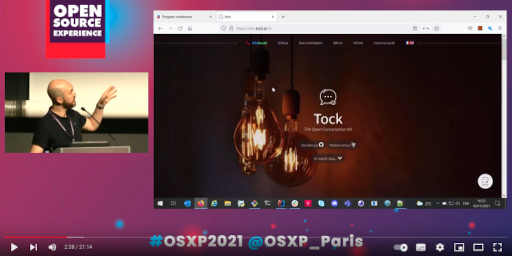
Tutorials, presentations and a live demo (20 minutes, in English) are also available:
Features
- Generative AI (see Gen AI):
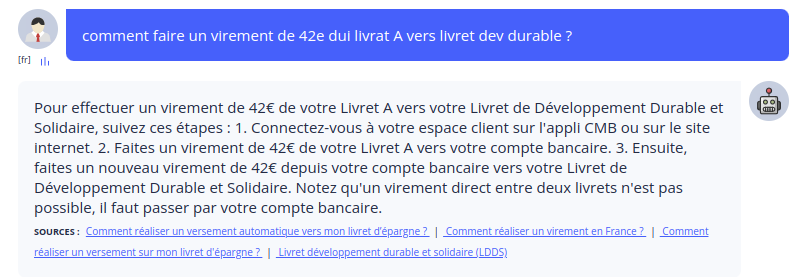
- RAG (Retrieval-Augmented Generation) answers based on your documents, with their sources, with PGVector or OpenSearch vector stores
- LLM and embedding providers: OpenAI, Azure OpenAI, AWS Bedrock, Ollama for local models...
- Control over the answers: stories and FAQs combined with the RAG, covered and excluded topics, structured answering prompt
- Continuous improvement: retrieval diagnostic, playground, LLM observability with Langfuse, datasets and answer evaluations
- Tock Studio interfaces:
- Configuration of the Gen AI features, the knowledge base and the prompts
- No-code conversational journeys, FAQs and decision trees
- Internationalization (i18n) support for multilingual bots
- Conversation monitoring, user journeys / trends (Analytics) and answer quality
- Full-featured NLU (Natural Language Understanding)
platform, routing each sentence to a journey or to the RAG:
- Leveraging open technologies, such as OpenNLP, Stanford CoreNLP, Duckling, Rasa, or models hosted on AWS SageMaker
- Can be deployed alone (for use cases like Internet Of Things)
- Bots standalone or integrated with Web sites, mobile apps, social networks, smart speakers.
- Frameworks to develop complex journeys and integrate third-party services:
DSLs in Kotlin, Javascript/Nodejs, Python and any-language REST API (see Bot API) - Numerous text/voice integrations available with Messenger, WhatsApp, Teams, Slack, Google Chat, Mattermost, iAdvize, Alcmeon, OpenAI-compatible clients, a Web connector with React and Vue kits... (see channels)
- Cloud or on-premise setups, with or without Docker, on Kubernetes, "embedded" bots without Internet
Technologies
Tock components can run as containers (provided implementation for Docker).
The application runs on JVM platforms. The reference language is Kotlin, but other programming languages can be leveraged through the available APIs.
On the server side, Tock relies on Vert.x and MongoDB (alt. DocumentDB). Various NLU libraries and algorithms can be used, but Tock does not depend on them directly.
Tock Studio graphical user interfaces are built with Angular in Typescript.
The Gen AI orchestrator is a Python service built with FastAPI and LangChain, which calls the LLM, embedding and vector store providers.
React and Vue toolkits are provided for Web integrations.
Getting started...
- Tutorials, starting with the RAG tutorial, and demo platform
- Gen AI: RAG, knowledge base, prompts, answer quality
- Manuals for users, developers, administrators
- Resources (slides, videos) and code examples
*[NLU]: Natural Language Understanding
 Chat with Tock