The Rag settings menu
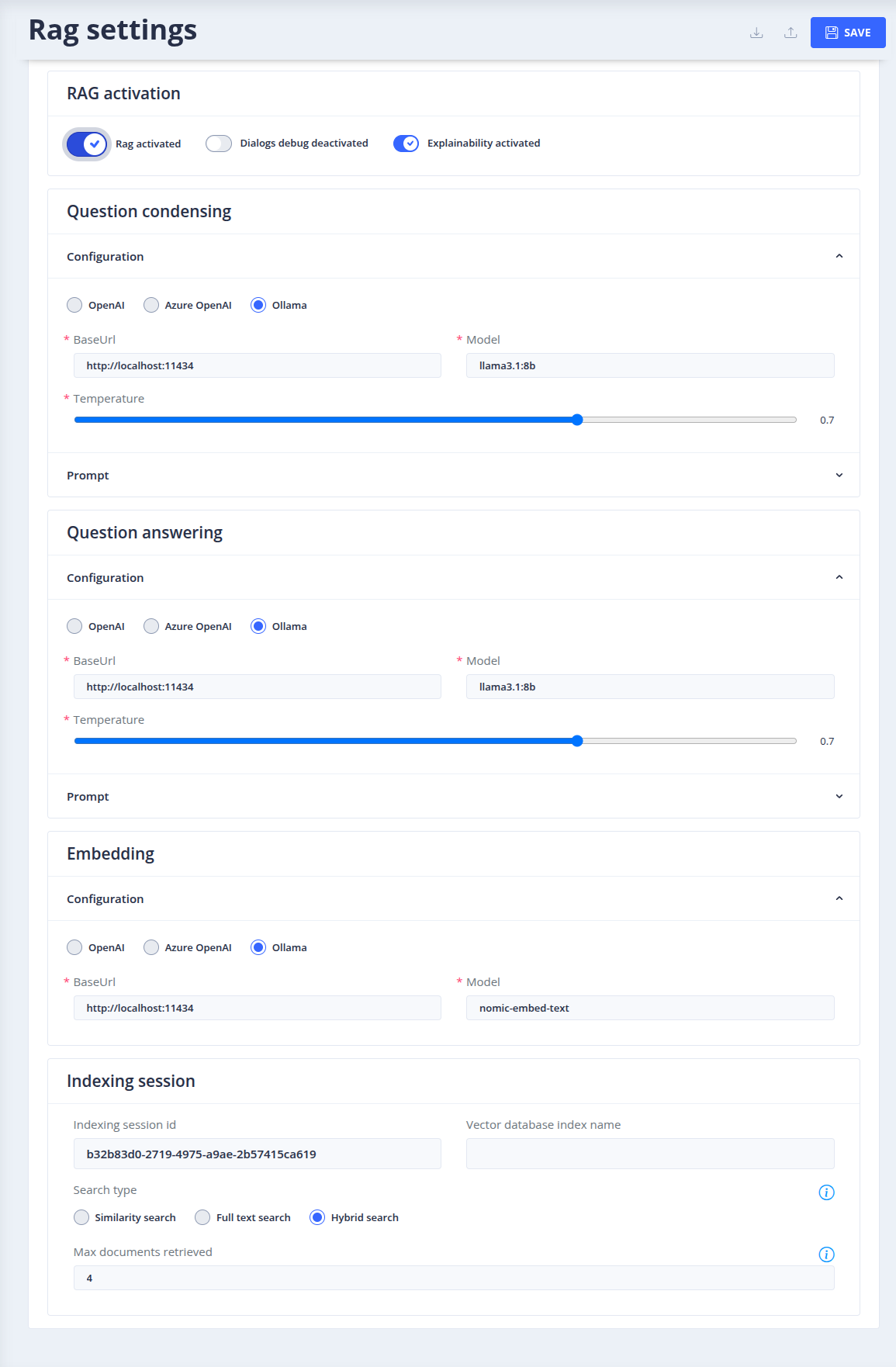
The Gen AI > Rag settings menu configures the RAG (Retrieval-Augmented Generation) of the bot: Tock answers user questions with an LLM, based on documents retrieved from a vector database.
To access this page, you need the admin role (more details on roles in security).
How it works
When RAG is activated, it handles the questions that no story handles: sentences qualified as unknown by the NLU model, or whose intent has no story (see How the bot answers):
- Question condensing: an LLM rewrites the question as a standalone question, using the latest messages of the dialog, and extracts keywords.
- Retrieval: the documents closest to the question are searched in the vector database (see the search type). Several variants of the question can be searched, and their results merged.
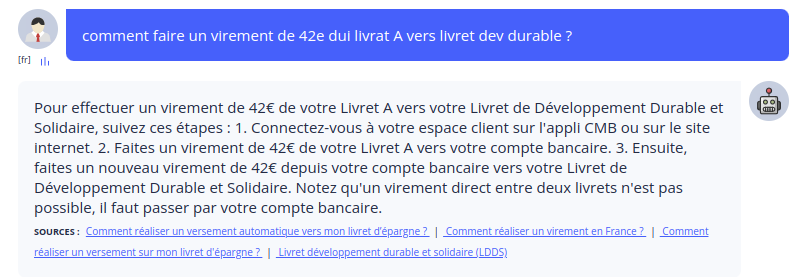
- Question answering: an LLM generates the answer from the question and the retrieved documents, following the answering prompt. The answer includes the sources of the documents used.
Settings
RAG activation
- Rag activated: enables or disables RAG for the bot. RAG can only be activated once all the required fields are filled in.
- Dialogs debug: includes RAG debug information (condensed question, documents, etc.) in the dialog logs (Analytics > Dialogs).
- Explainability: includes explainability instructions in the answering prompt.
Question condensing
- Configuration: the LLM used to condense questions (see the list of LLM providers).
- Prompt: the condensing prompt. It also returns the keywords (
key_words) used by full text and hybrid searches: a custom prompt must keep this field for them to work. - Max number of messages in history: number of dialog messages taken into account when condensing the question (zero: no history).
Question answering
- Configuration: the LLM used to generate answers (see the list of LLM providers).
- Prompt: the answering prompt. See the RAG prompt documentation. Some elements of the prompt (covered and excluded topics, business lexicon) are managed in the Rag prompt context menu.
Embedding
- Configuration: the embedding model, which must be the one used to index the documents (see the list of embedding providers).
Indexing session
- Indexing session id: the ID of the indexing session of the documents (see document indexing).
- Vector database index name: the name of the index in the vector database, computed from the namespace, the bot and the indexing session (read-only).
-
Search type:
- Similarity search: retrieves chunks by vector proximity (embeddings),
- Full text search: retrieves chunks by keyword matching,
- Hybrid search: combines both.
Full text and hybrid searches are only available with PGVector.
-
Max documents retrieved: maximum number of documents passed to the LLM as context.
The vector database itself is configured in the Vector DB settings menu.
Export, import and deletion
The settings can be exported as a dump (optionally including sensitive data, such as API keys) and imported, to copy them between bots or environments. DELETE SETTINGS deletes the saved settings.
Importing an Unknown story when RAG is activated
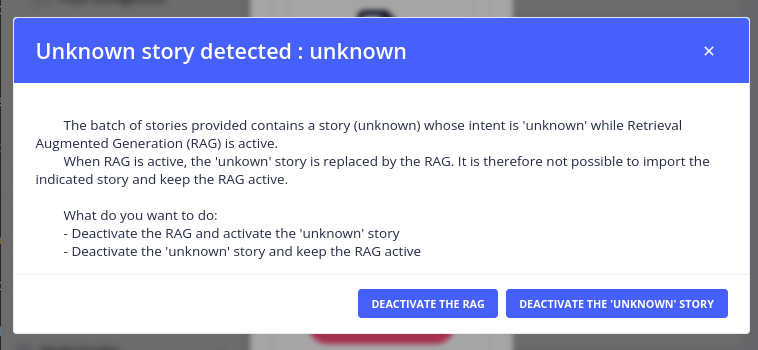
When stories are imported from one bot to another and RAG is activated in the receiving bot, a warning is displayed about the Unknown story (the story that lets the bot answer that it does not know the answer to a question). Two options are available:
- Deactivate RAG and allow the import of the Unknown story.
- Keep RAG activated and import the Unknown story, but deactivated.
Testing and improving the answers
- Test the bot in the Test menu: with the dialogs debug enabled, the RAG debug information is available in Analytics > Dialogs.
- Understand why a document is (or is not) used with the retrieval diagnostic.
- Measure the quality of the answers with datasets and evaluations.
- Follow the LLM calls with an observability provider.
 Chat with Tock