The Sentence generation settings menu
The Gen AI > Sentence generation settings menu configures the generation of training sentences for FAQ bots.
To access this page, you need the admin role.
(more details on roles in security).
Configuration
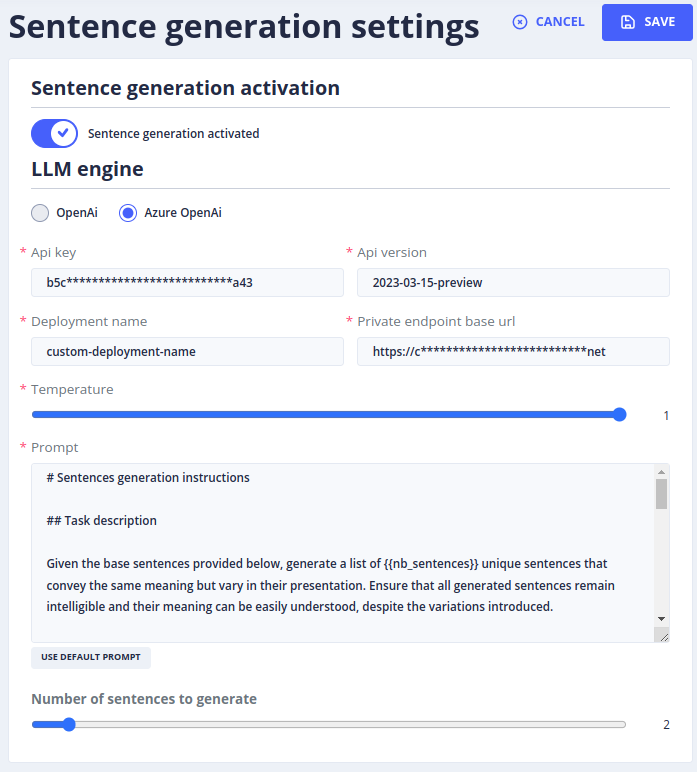
To activate sentence generation, set:
- AI provider: the LLM used to generate the sentences (see the list of LLM providers),
- Temperature: the default temperature, between 0 (no latitude when creating sentences) and 1 (the greatest latitude); it can be changed when generating,
- Prompt: the prompt used to generate the training sentences,
- Number of sentences: the number of sentences generated by each request,
- Activation: enables or disables the feature.
Usage
To use the Generate Sentences feature, go to the Stories & Answers > FAQs stories menu:
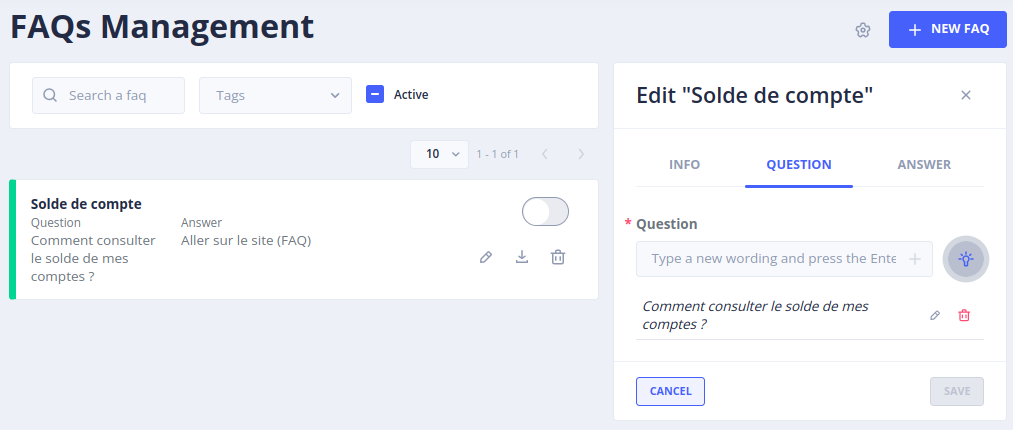
- Select one or more sentences to use as a training base.
- Click on Edit, then on the Question tab.
-
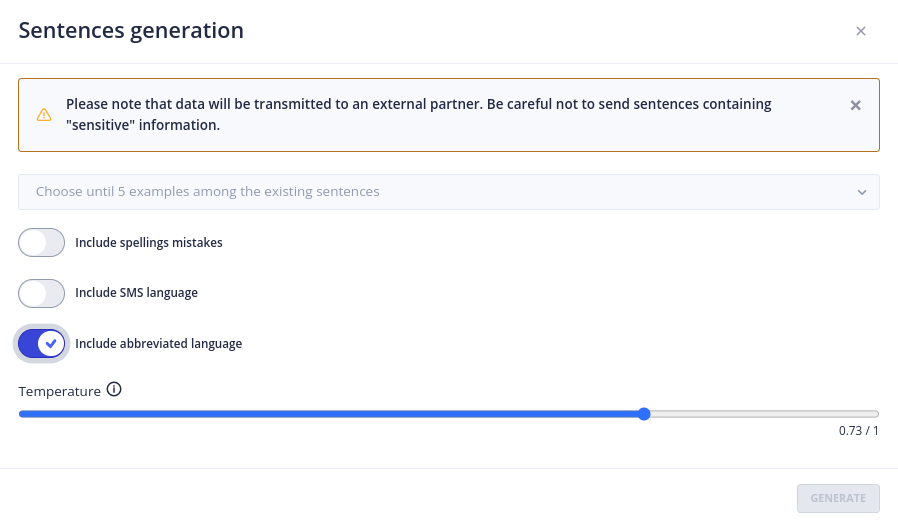
Click on the light bulb: a window with new parameters is displayed:
-
Choose the question(s) to use as a training base.
- Choose whether the AI should include spelling mistakes, SMS-style language and abbreviations.
- The default temperature is the one chosen in the Settings, but it can be changed here if needed.
- Click on Generate.
The AI generates a list of variants of the selected question. Select the most relevant variants and validate the selection.
The sentences selected during the session are then added to the questions of the FAQ.
 Chat with Tock