The Dashboard
The Dashboard is the home page of Tock Studio. It gives an overview of the activity and of the knowledge of the bot selected in the top bar, and centralizes the information needed by anyone landing on the bot.
The content depends on your role: users who only have the nlpUser role see no content here.
Reporting period
The period selector (for instance 7 or 30 days) applies to the activity cards, which compare the period with the previous one. Include tests also counts the exchanges started from Tock Studio, in addition to those coming from a connector.
Activity
- Messages handled: number of messages handled over the period, day by day, compared with the previous period.
- User feedback: share of positive ratings, and response rate (ratings / answers). Ratings are only collected when rating buttons are enabled on the channel.
- Answer outcome: share of the knowledge (RAG) answers grounded in retrieved documents (Found in context) or not (Not found in context). Review unanswered questions opens the dialogs filtered on unanswered questions.
- Topics answered: topics of the knowledge answers (see covered topics). The full breakdown is available in the Metrics menu.
Knowledge
These cards are displayed when RAG is enabled:
- Knowledge index: the index used by the bot, with its last ingestion date, number of documents and chunks, and indexing session. A warning is displayed when the index is old, or when it does not exist in the vector store (in that case retrieval returns nothing for every question). Shortcuts open the vector store exploration, the retrieval diagnostic and the RAG settings.
- Ingestion notes: free notes attached to the indexing session (sources included or excluded, options...). A new index starts with empty notes.
- Gen AI configuration: checks of the Gen AI settings of the bot, which can be re-run.
- Last validated evaluation: the result of the latest validated evaluation sample.
History
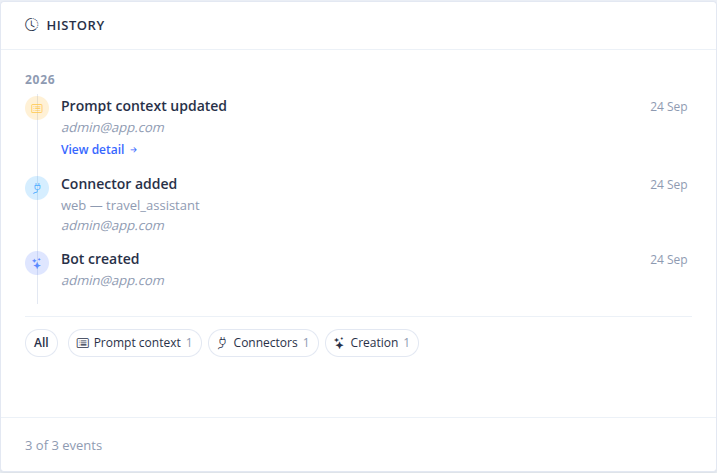
The History card is the timeline of the changes of the bot: creation, connectors added, validated evaluations, and updates of the RAG settings, vector database, compressor, observability, prompt context and corpus (indexing session). Events can be filtered by type. The detail of an event shows the recorded state, compared with the previous change of the same type (settings, prompts, topics, lexicon...). Snapshots are stripped of API keys and sensitive data.
About this bot
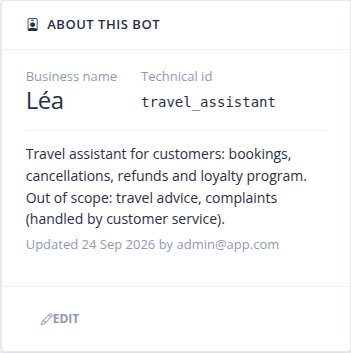
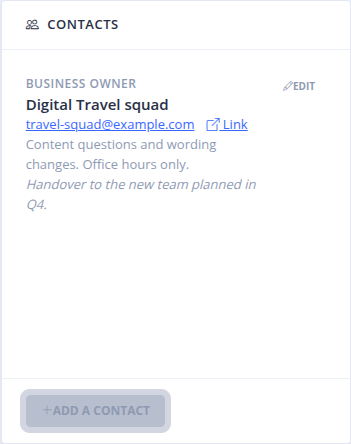
- About this bot: the business name of the bot, its technical ID, and free notes describing what the bot is for, who it serves and what is out of scope.
- Contacts: the teams responsible for the bot (role, team or person, email, link, when to reach them, comments), so that anyone knows who to reach. Prefer team mailboxes to individual ones.
 Chat with Tock