The Rag prompt context menu
The Rag prompt context menu manages business elements that are injected dynamically into the RAG answering prompt: covered topics, excluded topics and the business lexicon. Changes apply to new questions once saved.
To access this page, you need the admin role (more details on roles in security).
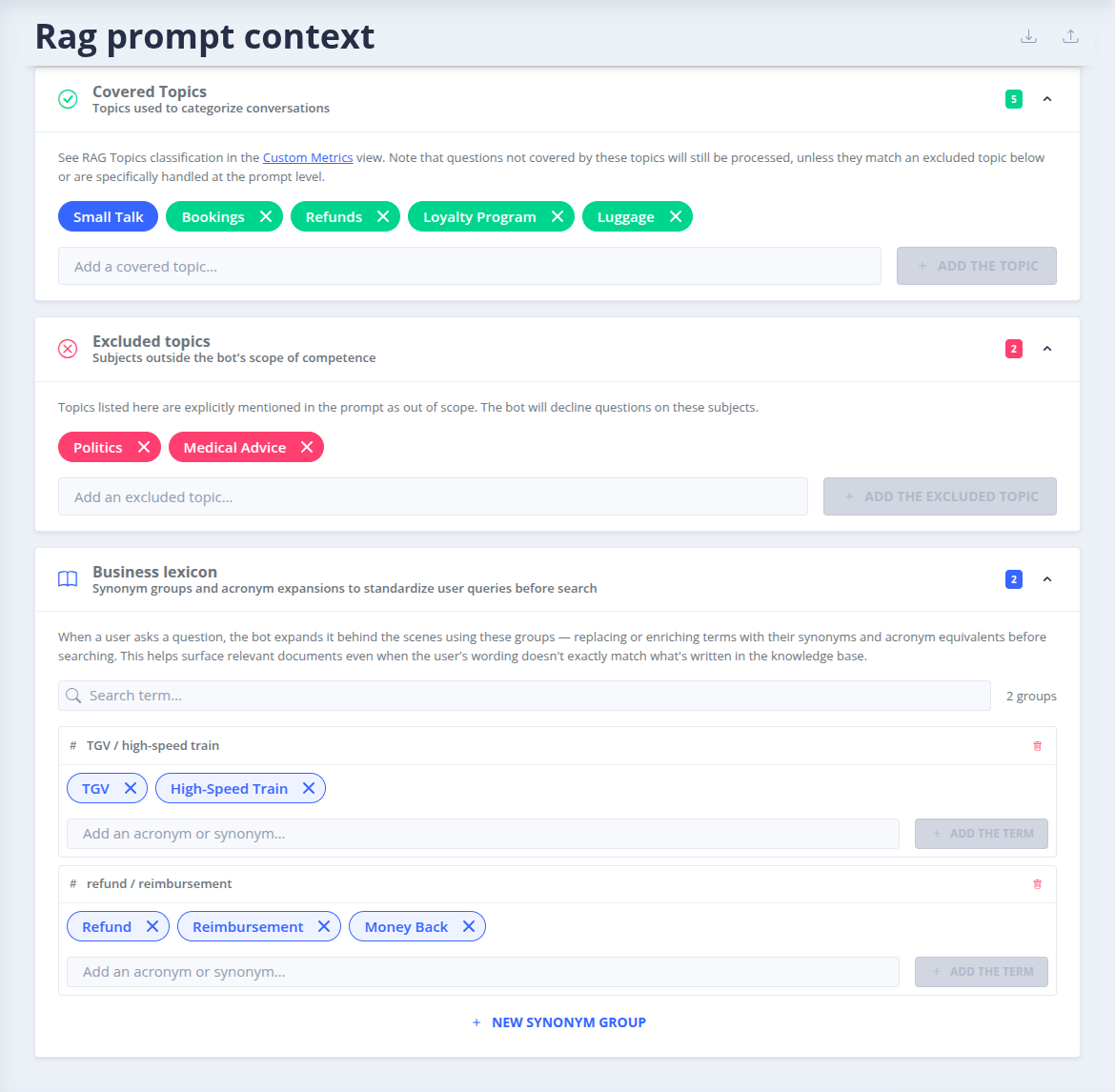
Covered topics
The topics used to categorize the conversations handled by RAG (up to 50 topics). The topic of each answer is available in the dialogs and in the Metrics menu.
When the RAG chain cannot categorize a conversation with the covered topics, it suggests a new topic. Suggested topics are listed on this page: review them and add them to the covered topics if relevant.
Excluded topics
Subjects outside the scope of the bot. They are explicitly mentioned in the prompt as out of scope, and the bot declines questions on these subjects.
See also RAG exclusions, to exclude specific sentences from RAG handling.
Business lexicon
Groups of synonyms and acronym expansions (at least 2 terms per group). When a user asks a question, the bot expands it using these groups before searching documents: this helps find relevant documents even when the user wording does not match the words of the knowledge base.
Export and import
The prompt context can be exported as a dump and imported, for instance to copy it to another bot or environment.
 Chat with Tock