The Tock Studio interface
This page presents the general characteristics of Tock Studio.
The following pages cover the different menus of the application and different functionalities.
Logging in to the application
A standard browser is enough to access Tock Studio. The user is prompted to authenticate:
-
On the Tock demo platform, the user is prompted to authenticate via their GitHub account. The user must then accept that Tock accesses their account - only the GitHub account identifier is read by Tock.
-
On a default Tock platform, the credentials are
admin@app.com/password.
They are set by thetock_usersandtock_passwordsproperties, which must be changed: see Tock Studio authentication.
It is also possible, as an alternative, to use an authentication mechanism upstream of the application, for example via an Apache HTTPd service or a cloud service such as AWS Cognito on the one hand and a LDAP type directory on the other hand.
The application banner
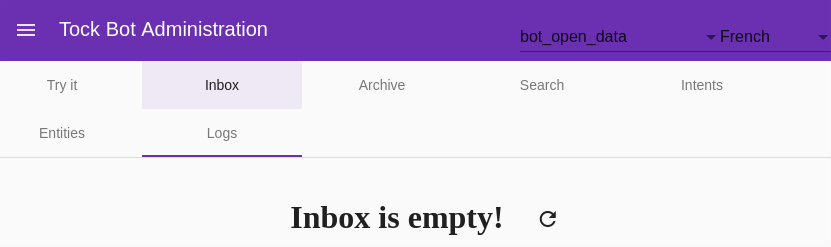
At the top left of the interface are:
-
A button to display (or hide) the different Tock Studio menus
-
The name of the interface
At the top right of the interface are:
-
The currently selected application / bot
(useful when several bots co-exist on the platform) -
The currently selected language (useful for testing a multilingual bot)
-
A link to log out
 Chat with Tock