FAQs
The Stories & Answers > FAQs stories menu allows you to create, modify and enrich conversational models with Frequently Asked Questions: questions with a simple answer (plain text or Markdown).
It is intended for a business audience not familiar with conversational concepts (intents, entities, etc.).
To access this page, you must have the botUser role (more details on roles in security).
FAQ list
This page lists all existing FAQs (with pagination).
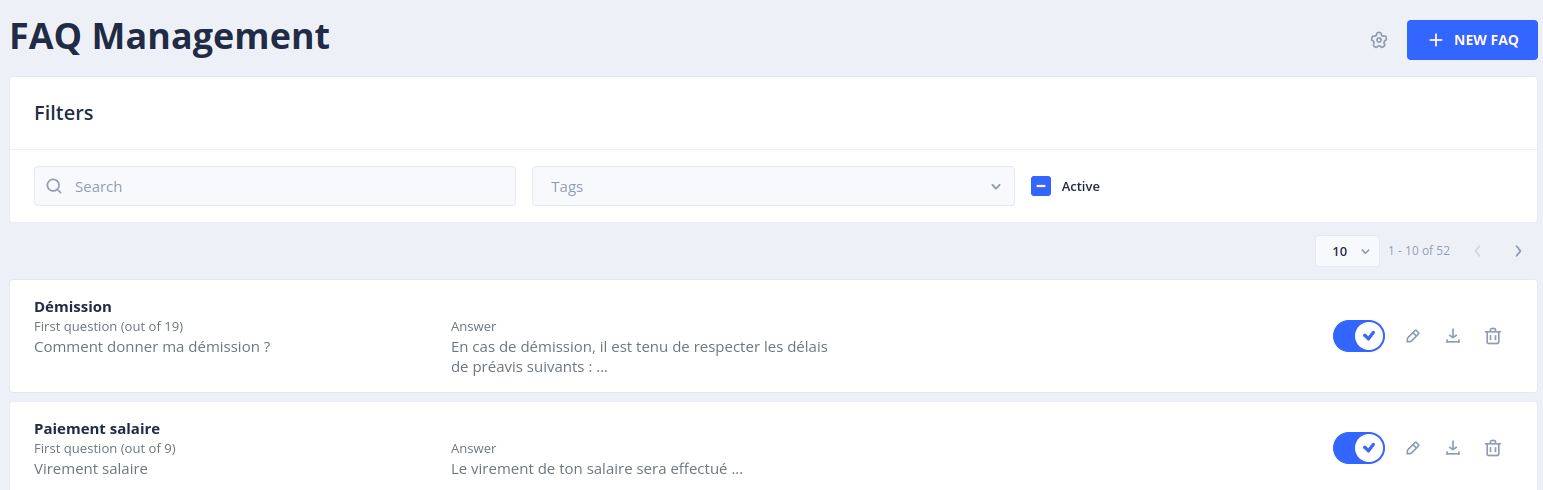
For each FAQ you can find the following elements:
- Its name
- The first question, and the number of associated questions
- An excerpt of the returned answer
- A set of tags
The following actions are available for each FAQ:
- Enable / Disable: once disabled, the bot no longer sends the associated answer but the default unknown answer
- Test this question in a dialog: opens the Test screen with the question
- Edit: modifies the elements of the FAQ (name, description, tags, questions, answer)
- Download: downloads the FAQ in JSON format
- Show story details: displays the story associated with the FAQ
- Delete: deletes the FAQ. The underlying intent is also deleted, and its questions are moved back to the Inbox sentences of Language Understanding.
The buttons at the top of the page allow you to:
- Import FAQs: import FAQs from a JSON export (see below)
- Export all faqs: download all the FAQs of the bot in JSON format
- Disable all: disable all the active FAQs of the bot
- FAQ Parameters: configure the satisfaction question (see below)
Filters
You can search for FAQs by entering text in the Search field, filter them by selecting one or more tags, and limit the display to active, inactive or all FAQs with the Active checkbox.
Creating a new FAQ
You can create a new FAQ by clicking on the + New FAQ button. This opens a panel with 3 tabs.
A Simple story is automatically created and associated with each new FAQ.
INFO tab
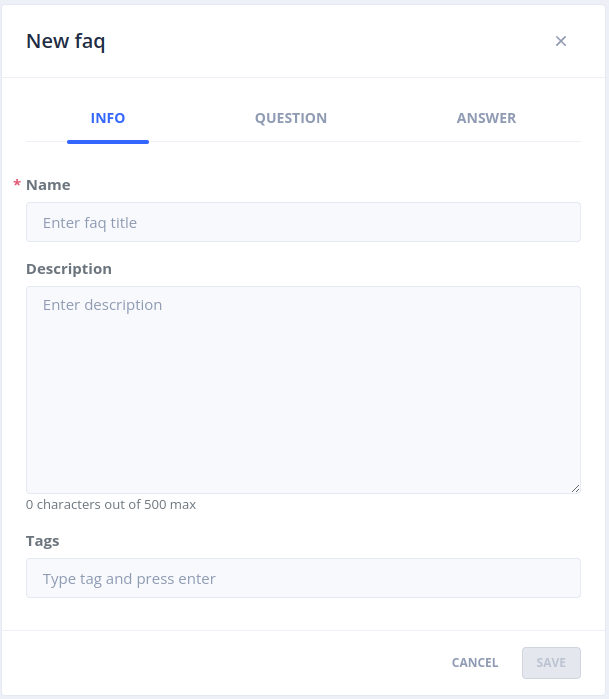
In this tab, you can:
- Define the name of the FAQ
- Give a description to explain what it answers
- Add tags to group FAQs by theme
The name of the FAQ is used to generate the underlying intent. If an intent with this name is already used by another application of the namespace, you can either share it between the two applications or create a new one.
QUESTION tab
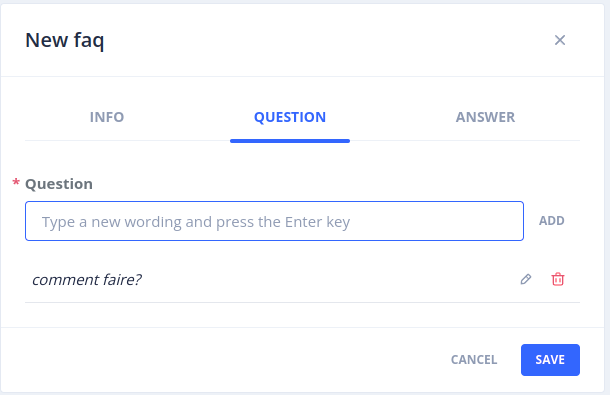
In this tab, you can add as many questions as necessary to feed the model. These questions are associated with the underlying intent of the FAQ. It is recommended to have at least 10 questions with varied formulations so that the model reaches a minimum recognition rate.
The Generate sentences button proposes new formulations generated by an LLM (see sentence generation).
ANSWER tab
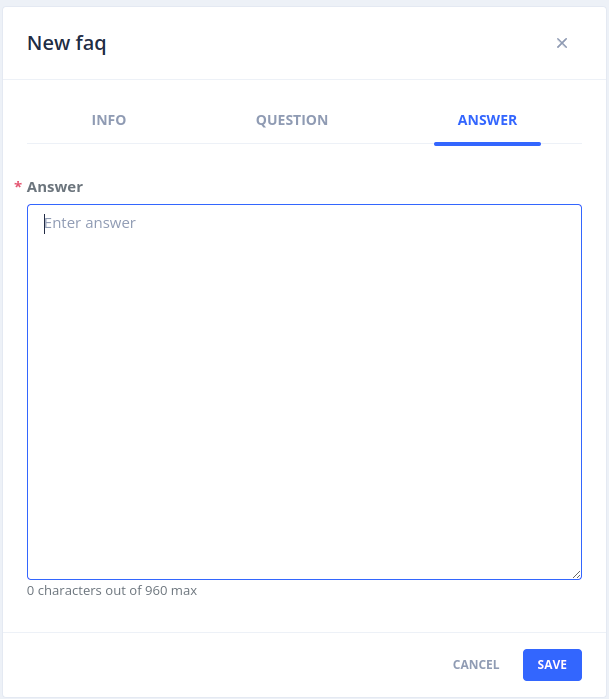
In this tab you define the answer sent to the user when their question matches the FAQ:
- The answer format: plain text or Markdown (if the channel supports it)
- The answer content, which can be different for each locale / connector / interface combination
- Optional footnotes (title, URL, content), displayed as sources under the answer
Qualifying user sentences
The sentences sent by the users are qualified in Language Understanding > Inbox sentences, like any other sentence (see Language understanding): the intent of each FAQ appears in the list of intents. Validating a sentence with the intent of a FAQ adds it to the questions of this FAQ.
Importing FAQs
The Import FAQs button imports a JSON file produced by Export all faqs, for instance to copy FAQs from one bot to another.
Satisfaction question
The FAQ Parameters button allows you to configure a story executed after the answer of a FAQ, to collect the user's satisfaction on the quality of the answer.
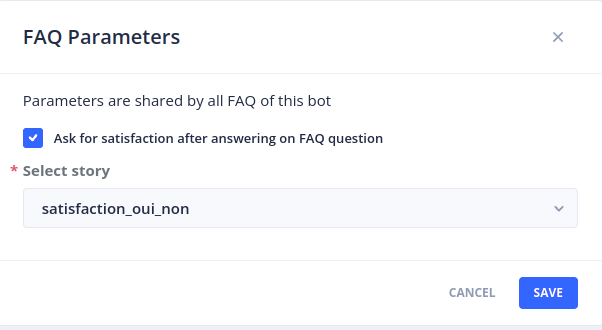
Check the Ask for satisfaction after answering on FAQ question box, then choose a story in the Select story list.
An Ending rule is automatically created between the story of each FAQ and the selected story.
 Chat with Tock