The Sentences Rag exclusions menu
RAG exclusions remove topics from the scope of the generated answers. A sentence excluded from the RAG is qualified
with the tock:ragexcluded intent: once the NLU model has learned enough such sentences, similar user sentences are
recognized as excluded, and the bot answers them without calling the LLM (see How the bot answers).
This is safer than an instruction in the prompt, since the decision is made before the LLM is called.
Excluding sentences
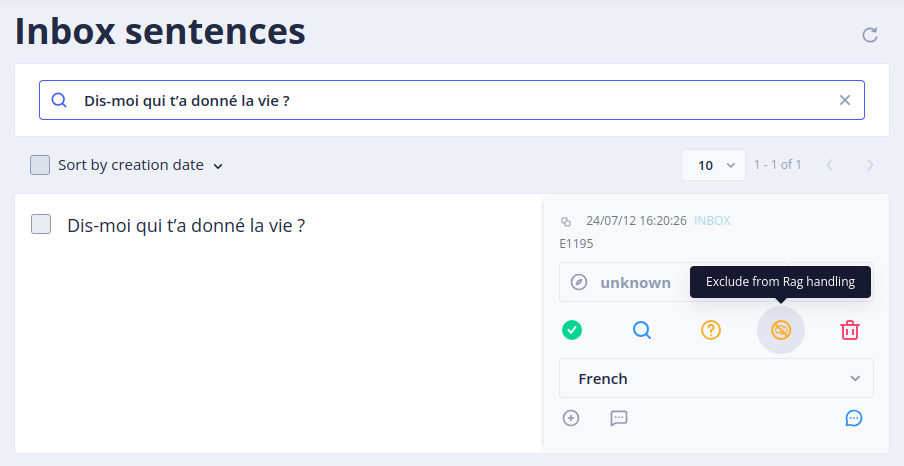
- Go to the Language Understanding > Inbox sentences menu (the nlpUser role is enough, see security)
- Select the sentence you want to exclude
- Click on Exclude from Rag handling (or select several sentences and use the Rag excluded batch action)
As for any intent, qualify several varied sentences for each excluded topic: a single sentence is rarely enough for the model to recognize the other ways of asking the same thing. The model is rebuilt automatically after the qualification (see Conversational models). Check the result in the Test menu.
Listing the excluded sentences
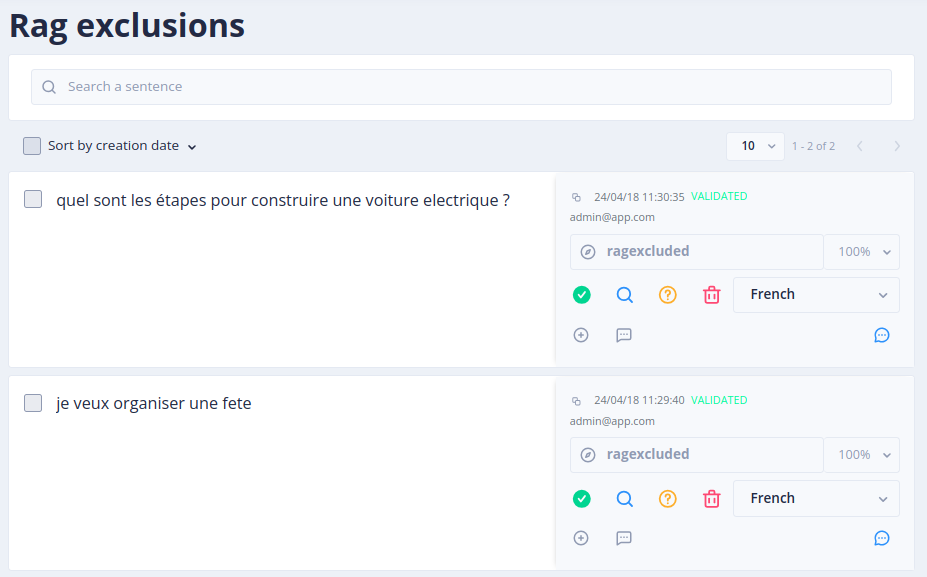
The Gen AI > Sentences Rag exclusions screen lists all the sentences excluded from the RAG (the admin role is needed, as for the other Gen AI menus).
Answer to the excluded sentences
By default, the bot answers "Sorry, I can't answer your question (Topic not covered)". This answer is a label of
the bot: translate or change it in Stories & Answers > Answers (see Internationalization).
A bot developed in Kotlin can also replace the whole story with the ragExcludedStory of its BotDefinition.
 Chat with Tock